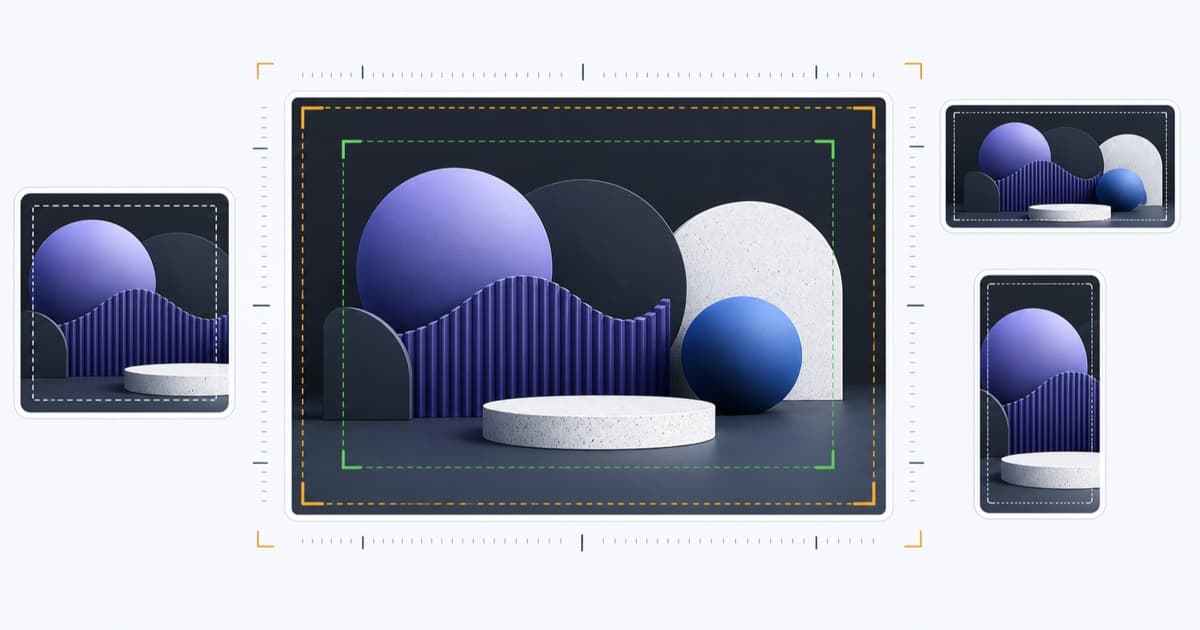
Open Graph Image Size: Dimensions, Ratio and Safe Areas
Choose an Open Graph image size that works across Facebook, LinkedIn, X and other social cards, with practical dimensions, ratios, formats, and safe areas.
The best general-purpose Open Graph image size is 1200×630 pixels, but the real goal is a public, fast, legible image that survives different platform crops.
Use the Open Graph Checker to verify the image URL, response type, file size, and detectable dimensions before publishing.
Recommended Cross-Platform Size
Start with:
- Dimensions: 1200×630 pixels
- Aspect ratio: approximately 1.91:1
- Format: JPEG or WebP for photography; PNG for graphics that need crisp edges or transparency
- File size: comfortably below platform maximums and small enough to fetch quickly
- URL: stable, absolute, and HTTPS
This landscape ratio works well for prominent Facebook, LinkedIn, and large X/Twitter cards. It does not guarantee identical rendering: platforms change layouts and may crop by device, surface, or experiment.
Platform Planning Table
| Platform or card | Practical source image | Design implication |
|---|---|---|
| Facebook link card | 1200×630 | Keep the subject and text centered for feed crops. |
| LinkedIn link post | 1200×627 or 1200×630 | Use strong contrast; expect desktop and mobile variations. |
X summary_large_image |
1200×628 or 1200×630 | Use a landscape focal point and avoid tiny text. |
X summary |
Square source, at least several hundred pixels | The image appears as a smaller thumbnail, so simplify it. |
| Messaging and other apps | 1200×630 baseline | Some apps crop to a square or compact card; protect the center. |
Treat these as design baselines, not permanent contractual limits. Test the real page and use official platform documentation for a platform-specific release requirement.
Use a Safe Area
Keep logos, faces, UI details, and meaningful text inside the central portion of the image. A useful template reserves roughly 10% around every edge and avoids placing critical content in the extreme left or right.
Preview the image at small sizes. If the message disappears when the card is 400 pixels wide, simplify the composition rather than increasing the amount of text.
Declare Real Dimensions
Add image metadata that matches the physical file:
<meta property="og:image" content="https://example.com/social-card.jpg" />
<meta property="og:image:secure_url" content="https://example.com/social-card.jpg" />
<meta property="og:image:type" content="image/jpeg" />
<meta property="og:image:width" content="1200" />
<meta property="og:image:height" content="630" />
<meta property="og:image:alt" content="Concise description of the image" />
Incorrect declared dimensions can be worse than omitting them. Update the tags whenever your image pipeline changes the output.
Choose the Right Format
JPEG is widely compatible and efficient for photographs. Use an appropriate quality setting and remove unnecessary metadata.
PNG is useful for flat graphics, screenshots, and transparency, but large PNGs can be slow. Compress them.
WebP provides efficient files and is supported broadly, but verify it against the platforms important to your campaign. If compatibility is uncertain, JPEG remains a conservative fallback.
Avoid SVG for a primary social image unless every target platform explicitly supports your use case. Rasterize the card to a predictable output.
File Size and Delivery Matter
A perfectly sized image still fails if the crawler times out. Serve the asset from a reliable HTTPS origin or CDN and return a correct image content type.
Avoid:
- Expiring signed URLs
- Authentication or cookie requirements
- Referer-based hotlink blocks
- Several image redirects
- Dynamic image endpoints that are slow on the first request
- HTML error pages returned with a 200 status
One Image or Platform-Specific Images?
Open Graph provides the general share image. X supports twitter:image, so you can supply a different crop when the X card requires it:
<meta property="og:image" content="https://example.com/social-card-1200x630.jpg" />
<meta name="twitter:card" content="summary_large_image" />
<meta name="twitter:image" content="https://example.com/x-card-1200x628.jpg" />
Maintain separate assets only when the benefit exceeds the operational cost. A strong 1200×630 master is easier to keep current than many forgotten variants.
Open Graph Image QA Checklist
- Source file is at least 1200×630 for a large landscape card
- Critical content stays inside the crop-safe center
- Image remains legible at mobile card sizes
- Declared width, height, type, and alt match the real file
- URL is public, HTTPS, stable, and fast
- Page uses the intended URL in both
og:imageand any relevant Twitter tag - The live page is tested after deployment
Test an image with the OG image checker. If it is missing entirely, follow the og:image troubleshooting guide.
Written by LinkGlimpse Team
Published on